

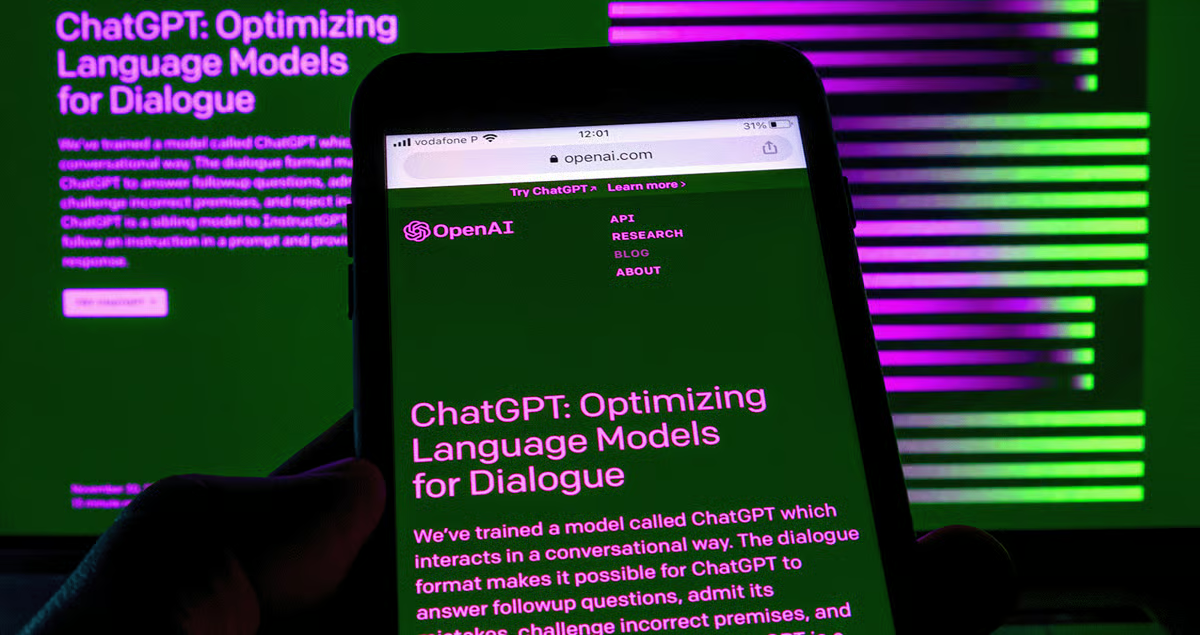
A friend of mine asked me last week why she still can’t get her head around what ChatGPT even is anymore. “Is it a chatbot? A search engine? My coworker literally uses it to plan her whole workday now.” And honestly, that question stuck with me, because she’s not wrong to be confused. What started as a text box you’d type questions into has turned into something a lot bigger, a lot messier, and honestly, a lot more useful than most of us expected back in 2023.
So let’s actually unpack what’s going on with it right now, because the pace of change has been kind of relentless.
From Simple Chatbot to Something Closer to a Digital Coworker
I remember the early days pretty clearly — you’d type a question, get an answer, maybe it hallucinated a fact or two, and you’d move on with your life. That version feels almost quaint now. The tool has quietly turned into something people lean on for actual work: drafting documents, digging through spreadsheets, writing code, even managing multi-step projects without much hand-holding.
Just this July, OpenAI rolled out a new model family with an entirely different naming approach, splitting things into tiers rather than one flat version number. There’s a flagship built for heavy reasoning work, a balanced option for everyday tasks, and a lighter, cheaper one for quick stuff. It sounds a little confusing on paper, but in practice it just means you’re not stuck paying for horsepower you don’t need when you’re asking something simple, and you get the heavy-duty option when a task actually calls for it.
The Move Toward “Work” Rather Than Just “Chat”
Here’s what caught my attention most, though. A new product launched in early July built specifically around turning rough notes and half-finished drafts into polished, usable work. Not a chatbot reply, but an actual finished document or output you didn’t have to babysit through five follow-up prompts. That’s a pretty telling shift — the whole thing feels less like “ask a question, get an answer” and more like handing off a task to someone who already knows your context.
And coding tools got folded directly into the desktop experience too, instead of living as some separate app you had to remember existed. If you’ve ever had six different tools open just to get through one coding task, you’ll understand why that matters more than it sounds like it should.
Why It Keeps Getting Smarter (and More Accurate)
One thing people don’t talk about enough is how much the accuracy problem has actually improved. Anyone who used earlier versions remembers the frustration of getting a confidently wrong answer, delivered with zero hesitation. That hasn’t disappeared completely — no AI tool is perfect, let’s be real — but the gap has narrowed noticeably. Recent updates specifically targeted factual reliability, and the improvements were most noticeable in areas where being wrong actually costs you something, like technical or professional questions.
Voice and dictation features got quietly better too. If you’ve ever tried dictating something in a noisy coffee shop or while mixing two languages mid-sentence, you’ll know how badly older transcription tools handled that. The newer updates handle accents, code-switching, and messy background noise far more gracefully than before.
Find More Expert Content: Soso Active
Bigger Memory, Fewer “Wait, I Already Told You That” Moments
Context windows have gotten genuinely huge for higher-tier plans now, stretching into the millions of tokens. That’s not just a technical spec nobody cares about — it means you can hand over an entire codebase or a lengthy document and the response actually reflects the whole thing, instead of forgetting what you said three messages ago. If you’ve ever had to re-explain your project setup for the fifth time in one session, you know exactly why this matters.
The Everyday Reality of Using It
Here’s my honest opinion, and I know not everyone will agree: it’s genuinely useful, but it’s not magic, and treating it like magic gets people into trouble. I’ve watched people copy-paste answers into work emails without reading them first, and that’s a recipe for embarrassment. It’s brilliant for getting a first draft moving, untangling a confusing error message, or brainstorming when you’re stuck staring at a blank page. It’s less brilliant when you expect it to know your specific company’s internal policy or catch every subtle nuance of a sensitive situation.
I use it almost daily now, mostly for outlining ideas and cleaning up rough drafts. But I still read everything it gives me before sending it anywhere important. That habit alone has saved me from a couple of pretty awkward mistakes.
Where This Is Probably Headed
If the last year is any indication, expect the line between “chatbot” and “assistant that just does the task for you” to keep blurring. The push toward agent-style tools that complete multi-step work without constant prompting seems to be the clear direction, not a side experiment. Whether that’s exciting or a little unsettling probably depends on your job and how much of it involves the kind of tasks these tools are getting good at.
Final Thoughts
What strikes me most is how quickly “just ask ChatGPT” became a normal sentence people say without thinking twice, the same way “just Google it” did years ago. It’s not perfect, and it never claimed to be, but the improvements in accuracy, memory, and actual usefulness for real work have been hard to ignore. Give it a fair shot, double-check anything that matters, and it earns its spot as a genuinely handy tool rather than just a novelty you play with once and forget about.
FAQs
Is ChatGPT free to use?
There’s a free tier available, though it comes with usage limits and access to lighter model versions. Paid plans unlock the more capable models, longer context windows, and extra features like coding tools built into the app.
How accurate is it now compared to earlier versions?
Noticeably better, especially on factual questions, though it still isn’t flawless. It’s smart to double-check anything important, particularly numbers, dates, or specific technical details.
Can it actually do real work, or is it just for casual chatting?
It’s moved well past casual chatting at this point. People use it for drafting documents, coding, research, and increasingly for handing off entire tasks rather than just asking simple questions.
Does it remember previous conversations?
Depending on your plan and settings, it can reference earlier chats to personalize responses. Context windows have also grown significantly, so it holds onto more information within a single ongoing task than it used to.
Is it safe to rely on for professional work?
It’s a solid starting point for drafts, ideas, and speeding up repetitive tasks, but treating the output as final without review isn’t a great habit. Always read through anything before it goes out the door, especially for client-facing or sensitive material.
Follow Us for More Informational Blogs
